


Restaurant website reservations increase when the booking path is obvious, fast on mobile, trustworthy, and measurable from the first click to the confirmation screen. A prominent button helps, but it cannot compensate for hidden availability, unnecessary fields, unclear policies, slow pages, or a confirmation that leaves the guest wondering whether a table is actually booked. The practical goal is to remove uncertainty at every step: help the guest choose, show real availability, collect only necessary details, confirm the outcome immediately, and track completed reservations rather than button clicks alone.
This guide gives restaurant owners and marketing teams a conversion-focused system they can audit without changing booking providers. It connects the website journey to Curated Spot’s revenue and conversion resources, the dedicated restaurant reservation conversion hub, and the wider discovery journey that brings guests from a local ranking or venue page to a confirmed table.
What restaurant website reservations really means
A direct website reservation is a booking completed through a restaurant-controlled web journey, whether the availability engine is native or supplied by a connected reservation platform. The key distinction is not the software vendor. It is that the official restaurant website gives the guest a clear, consistent path from consideration to confirmation.
The journey starts before the form. A guest may arrive from search, social media, a map result, a Curated Spot ranking, a venue page, or a recommendation. Before choosing a time, that person usually needs enough confidence in the menu, location, atmosphere, price level, opening hours, and booking conditions. A technically functional reservation widget can still underperform when those decision inputs are missing or contradictory.
Audit the journey before buying more traffic
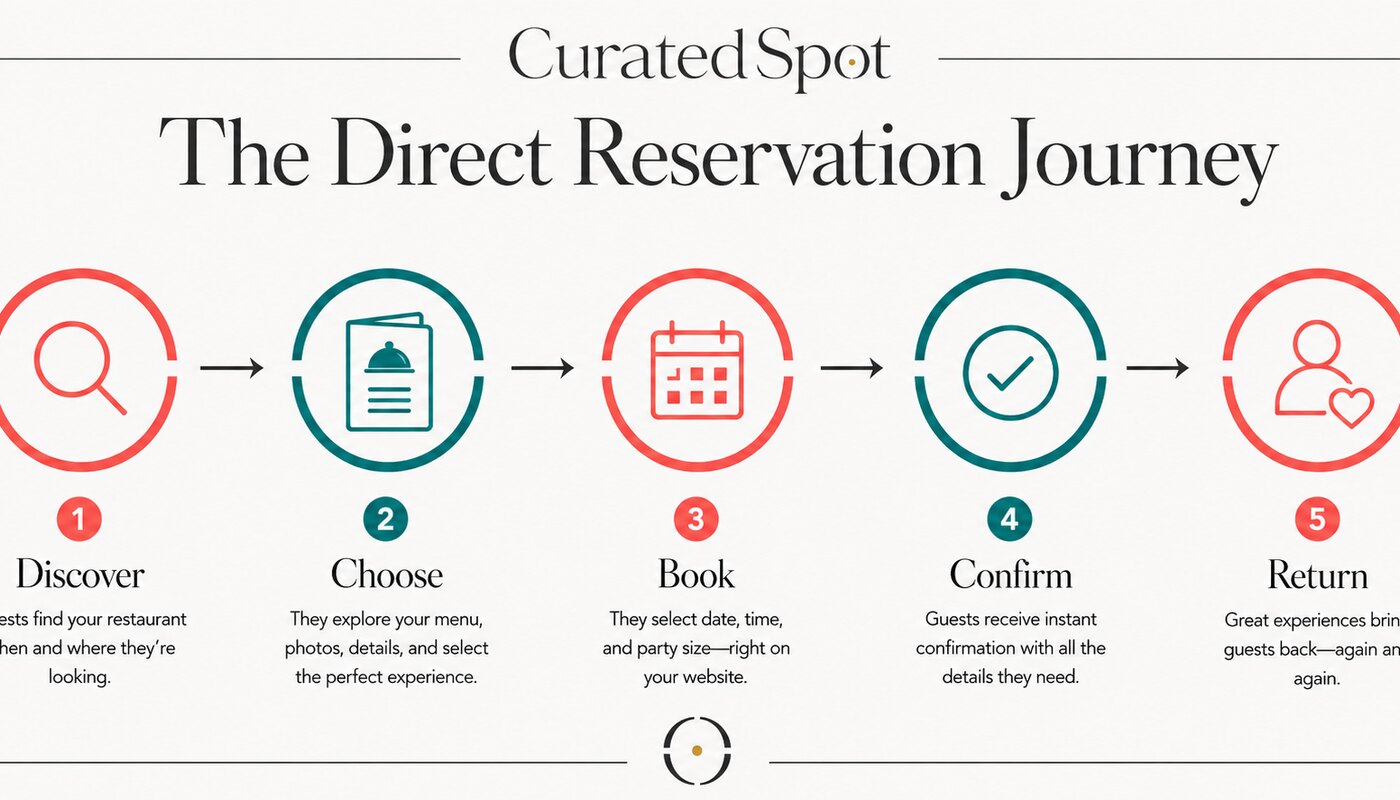
Use the following friction audit on a real phone, on mobile data, as if you had never visited the restaurant. Do not begin from the booking page. Begin from the most common landing page and complete the full journey.
| Stage | Guest question | Minimum website evidence | Failure signal |
|---|---|---|---|
| Discover | Is this the right restaurant for this occasion? | Clear concept, location, current hours, representative images, menu access | The guest must open several pages or another platform to understand the offer |
| Choose | Can I book the date, time, and party size I need? | A visible reservation action and real availability | The button is hidden, generic, or opens an unexplained external flow |
| Book | How much information do I have to provide? | A short, labeled, mobile-friendly form | Unnecessary fields, poor keyboard behavior, errors that erase data |
| Confirm | Is my table actually reserved? | On-screen confirmation plus email or message with date, time, party size, location, and change options | A spinner, vague thank-you message, or no reference details |
| Return | Can I manage the booking and come back easily? | Calendar option, modify/cancel route, directions, useful pre-visit details | The guest must phone to correct simple details or cannot find the booking again |
Build a reservation path that guests can understand instantly
1. Make the reservation action visible and specific
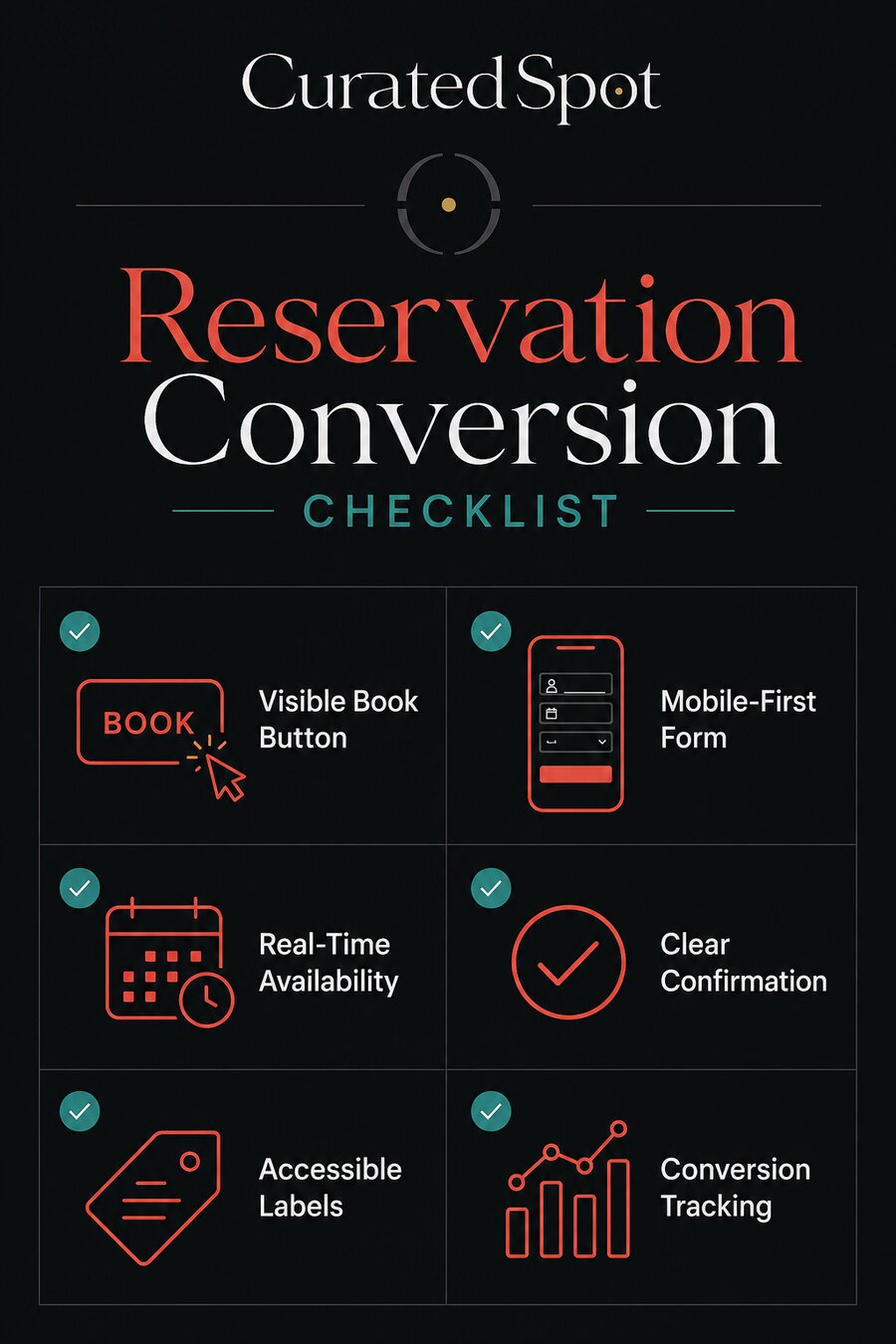
Use a familiar command such as Book a table or Reserve. Place it in the mobile header or primary navigation and repeat it near decision points such as the menu, location details, and opening hours. The control should look actionable and remain visually distinct from lower-priority links.
Avoid vague labels such as “Continue,” “Experience,” or “Get started.” They force the guest to interpret the interface. If several locations share one website, make the selected location visible before displaying availability so the guest does not reserve the right time at the wrong venue.
2. Keep menu, hours, location, and booking facts consistent
The website, booking engine, map profile, social profiles, and important discovery pages should agree on the restaurant name, address, phone number, hours, and service periods. A brunch service shown on the menu but absent from availability creates doubt. A booking provider that uses an old restaurant name or wrong address looks untrustworthy even when the form works.
Assign one owner for these facts and create a small change checklist. When hours, service periods, policies, or location details change, update every guest-facing source in the same operating window.
3. Show real availability before asking for personal details
Let the guest choose date, time, and party size before requesting contact information. This answers the highest-value question first: “Can this restaurant accommodate me?” Asking for a name and phone number before showing availability creates work without delivering value.
When the exact time is unavailable, show useful nearby alternatives. Do not return a dead end if 19:00 is full but 18:30 or 19:30 is open. For larger parties or special events, explain the correct enquiry route and expected response time.
4. Collect only the information needed to manage the booking
A standard table reservation usually needs the guest’s name, a reliable contact method, date, time, party size, and any operationally relevant notes. Every extra required field should have a clear reason. Marketing consent must not be bundled invisibly into the booking action.
For restaurants serving guests in the EU, the European Commission’s summary of GDPR principles emphasizes purpose limitation and data minimisation: collect personal data for a specific stated purpose and only what is necessary for that purpose. Explain how booking data will be used and keep optional marketing choices separate from the reservation itself.
5. Design the form for mobile and accessibility
Use visible labels, large touch targets, useful input types, browser autocomplete where appropriate, and error messages that explain how to fix the problem without clearing completed fields. The W3C Web Accessibility Initiative recommends labels that identify form controls and explicit associations between labels and inputs. Its guidance on input purpose also explains how appropriate autocomplete values can make common personal-information fields easier to complete.
Test the booking flow using keyboard navigation, zoomed text, a screen reader if available, and a small mobile viewport. A reservation form is a revenue interface; accessibility should be treated as a conversion requirement, not an ornamental compliance step.
6. Confirm the reservation with useful details
The confirmation screen should state that the booking succeeded and repeat the restaurant, location, date, time, party size, guest name, and booking reference when available. Offer a calendar action and clear modify or cancel instructions. Send the same essentials through the agreed contact channel.
Distinguish an instant confirmation from a request that still needs staff approval. A message such as “We received your request” is not the same as “Your table is confirmed.” The difference must be visible before and after submission.
7. Protect speed and continuity
A reservation flow should not wait for decorative scripts, oversized media, or an overloaded tag stack before it becomes usable. Keep the booking action responsive, verify that third-party widgets load reliably, and provide a graceful alternative when the provider is unavailable. Avoid opening an unbranded page with no explanation; if the journey changes domains, preserve the restaurant identity and tell the guest what is happening.
Measure completed reservations, not just booking-button clicks
Button clicks measure interest. They do not prove that a table was booked. The core metric should be the number or rate of confirmed reservations attributable to the website journey, supported by diagnostic events that reveal where guests leave.
| Funnel event | What it tells you | Useful dimension |
|---|---|---|
| Reservation CTA click | The page created booking intent | Landing page, device, source |
| Availability viewed | The engine loaded and returned options | Location, party size, requested date |
| Form started | The guest accepted an available option | Selected time, device |
| Validation error | The form introduced friction | Field and error type, without recording personal values |
| Reservation confirmed | The commercial outcome occurred | Location, service period, party-size band, source |
| Reservation modified or cancelled | The downstream quality of the booking | Lead time and reason category where appropriate |
Google Analytics lists generate_lead as a recommended event for a submitted form or request for information. A restaurant can use that event for an enquiry-style reservation request, but an instantly confirmed table may deserve a clearly governed custom event or an ecommerce-style model if it includes a genuine transaction. Document the definition so a “reservation” means the same thing in analytics, the booking system, and management reporting.
Calculate a direct reservation conversion rate as:
Confirmed website reservations ÷ eligible reservation sessions × 100
Define the denominator before comparing periods. A session that never had access to the reservation action may not be an eligible booking session. Also track confirmation rate from form start, because it isolates form friction from earlier content and traffic problems.
A worked example for diagnosing the bottleneck
Consider a hypothetical restaurant with 1,200 eligible reservation sessions in one month. If 360 guests click “Book a table,” 250 view availability, 180 start the form, and 126 receive a confirmation, the full-session reservation conversion rate is 10.5%. The form-start confirmation rate is 70%.
The largest drop is not automatically the worst problem. A decrease from availability views to form starts may simply mean the desired times were unavailable. The team should segment by day, service period, party size, and device before changing the form. If mobile guests with available times abandon at a specific required field, that is stronger evidence of interface friction.
Use this sequence:
- Confirm that tracking matches the booking provider’s completed reservations.
- Find the largest unexplained drop for an eligible segment.
- Review recordings or error logs only with appropriate privacy controls.
- Change one meaningful variable.
- Run the test across comparable service periods.
- Check booking quality, cancellations, and operational impact before declaring a winner.
How to test improvements without hurting the guest experience
Start with obvious defects: broken links, overlapping mobile controls, unreadable error messages, inconsistent hours, failed confirmation emails, or missing availability. These do not need an experiment; they need a fix and verification.
Use controlled tests for genuine choices such as button position, supporting copy, the order of optional fields, or alternative availability presentation. Keep the booking outcome and policies consistent across variants. Avoid experiments that hide fees, disguise consent, manufacture urgency, or make cancellation deliberately difficult.
Run long enough to cover normal weekday and weekend patterns. Restaurants often have strong variation by day, service period, weather, season, events, and capacity. Report the test window and sample size, and resist turning a short-lived lift into a permanent conclusion.
Connect reservation conversion to local discovery
A booking journey cannot convert demand the restaurant never earns. Keep venue facts, images, category, and availability consistent across the official website and the local discovery sources guests trust. Use descriptive internal links from menu, location, event, and guide pages to the most relevant booking route.
Curated Spot can support the beginning of that journey by helping people compare places and understand why a venue fits an occasion. Explore Curated Spot rankings, review how curation works, and use Submit a Spot when a venue is missing or its discovery information needs attention.
Common restaurant reservation mistakes
- Showing the reservation action only in the footer or on one page.
- Sending every location to the same unselected booking screen.
- Asking for personal details before showing availability.
- Making the guest re-enter information after a validation error.
- Using placeholders instead of visible, accessible field labels.
- Bundling marketing consent into a required booking checkbox.
- Calling a request “confirmed” before staff or the system accepts it.
- Measuring CTA clicks as completed reservations.
- Ignoring cancellations and no-shows when judging conversion quality.
- Adding more traffic while the mobile booking flow remains broken.
Frequently asked questions
1. Which metric matters most for restaurant website reservations?
Use confirmed website reservations as the primary outcome. Support it with conversion rate, form-start completion rate, cancellation rate, and party-size or service-period segments so volume is not mistaken for booking quality.
2. What should a venue fix before spending more on reservation traffic?
Fix broken mobile interactions, unclear booking actions, inconsistent hours and location data, unavailable confirmation messages, and tracking gaps. More traffic magnifies those defects rather than solving them.
3. How can reservation changes be tested without hurting the guest experience?
Repair obvious defects directly. For design choices, test one meaningful variable, preserve the same policies and availability, cover comparable service periods, and monitor completed bookings plus cancellations.
4. What causes poor restaurant website reservation performance?
Common causes include hidden CTAs, slow or unreliable widgets, inconsistent venue facts, unavailable desired times, too many fields, weak mobile accessibility, confusing errors, and unclear confirmation status.
5. How long should a restaurant test a booking-flow change?
Run long enough to include normal weekday and weekend demand and reach a useful sample for the affected segment. The correct duration depends on booking volume and variability; avoid calling a result from only a few days.
6. How should reservations connect to discovery and marketing channels?
Use consistent venue information, send each campaign to a relevant landing page, keep the reservation action visible, and preserve source attribution through the confirmation event. Different placements should use distinct UTM parameters.
7. Should a reservation form ask for a phone number and email?
Collect the contact details genuinely needed to confirm and manage the booking. If one reliable channel is sufficient, make the second optional unless operations require it and the purpose is explained.
8. Is an external reservation provider still a direct website booking?
It can be, when the guest starts from the official website and completes a coherent, attributable booking journey. Preserve restaurant identity, location context, tracking, and a clear return path.
9. Where should the Book a table button appear?
Place it in the mobile header or primary navigation and repeat it near high-intent content such as the menu, opening hours, location, and event details. Keep the wording and visual treatment consistent.
10. Should restaurants show unavailable times?
Show that the requested time is unavailable, then offer nearby valid alternatives. Do not make the guest repeat the search or infer whether another time might work.
11. What must a reservation confirmation include?
Include the restaurant and location, date, time, party size, guest name, reference when available, and clear options to add to a calendar, modify, cancel, or contact the venue.
12. How can restaurants make reservation forms more accessible?
Use visible labels, programmatically associate labels and controls, support keyboard use, apply suitable input types and autocomplete values, provide clear errors, preserve entered data, and test with zoom and assistive technology.
13. Can a longer reservation form ever be justified?
Yes, for large groups, events, accessibility needs, prepayment, or complex seating requirements. Ask only what is needed for that booking type and explain why unusual information is required.
14. How should restaurants track reservation conversions in GA4?
Track the booking CTA, availability, form start, errors, and confirmation with documented event definitions. Reconcile confirmed events with the reservation system and avoid sending personal booking data into analytics.
15. Do more direct reservations always mean better performance?
No. Evaluate party size, revenue or deposit where appropriate, cancellations, no-shows, service-period fit, and operational workload. A higher completion rate is useful only when the bookings are valid and manageable.
16. Should the restaurant force account creation before booking?
Usually no. Guest booking reduces friction. Offer optional account benefits after confirmation unless the business model genuinely requires membership and makes that requirement clear before the guest starts.
Use the checklist as an operating routine
Review the reservation journey monthly and before seasonal launches, major campaigns, provider changes, or new-location openings. Test it on a real phone, verify the confirmation, reconcile analytics with actual bookings, and document who owns each fact and integration.
The best reservation experience is not the most elaborate. It is the one that lets the right guest make a confident decision, complete the necessary steps, and know exactly what happens next.